AniCraft
Open Source2D vector animation with familiar timeline workflow – open source
AI Summary
AniCraft is a native 2D vector animation studio developed in pure Rust, offering animators a familiar workflow with stage, timeline, keyframes, and tweening. It supports vector tools, symbols, scenes, and masks, as well as import and export of common formats such as SVG, Lottie, GIF, and MP4. The tool is free, open source, and aimed at animators looking for a powerful alternative to commercial animation software.
✓ Pros
- +Completely free and open source with no restrictions
- +Familiar interface for users of classic animation software like Flash/Animate
- +Broad platform support (macOS, Windows, Linux, Web, FreeBSD, RISC-V)
✗ Cons
- −Still in early alpha stage and therefore not production-ready
- −Dependency on external FFmpeg for WebM/MP4 export
Use Cases
- →Creating 2D vector animations with a classic timeline workflow
- →Morphing vector shapes with shape tweens and easing curves
- →Exporting animations as GIF, Lottie, PNG sequence, or WebM/MP4
- →Automating animation and export via CLI, JSON channel, or MCP server
Who is it for?
AniCraft is aimed at animators and developers looking for a free, open-source alternative to classic 2D vector animation software.
Tags
What is AniCraft?
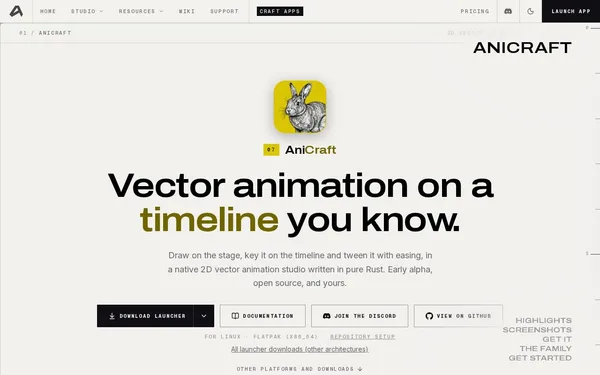
AniCraft is a native 2D vector animation studio built in Rust, bringing the classic workflow of stage, timeline, keyframes, and tweening into a free, open-source application. Anyone who has previously worked with Flash or Adobe Animate will find a familiar interface here, with no licensing costs or subscription required. The project runs on macOS, Windows, Linux, FreeBSD, RISC-V, and in the browser.
Core Features
- Vector tools with shape tweens: Shapes can be morphed and animated with easing curves.
- Symbols, scenes, and masks: Structure more complex animations in a way analogous to classic Flash projects.
- Wide format export: SVG, Lottie, GIF, PNG sequence, as well as WebM and MP4 (via FFmpeg).
- CLI, JSON channel, and MCP server: Animations can be controlled and exported programmatically, enabling integration and batch scenarios.
- SVG import: Existing vector graphics can be brought directly into animation projects.
Who is AniCraft for?
AniCraft is aimed at animators looking to replace commercial tools like Adobe Animate, and at developers who want to integrate animation exports into automated pipelines. The timeline workflow reduces the learning curve for anyone familiar with frame-based animation.
The alpha status is a genuine caveat: AniCraft is currently not suitable for production projects with deadlines. Missing features, potential crashes, and API changes between versions are to be expected with early releases of this kind. Additionally, users who do not have FFmpeg installed will be unable to use WebM or MP4 export.
Context & Alternatives
AniCraft falls into the category of frame-based 2D vector animation tools, alongside tools such as Synfig Studio or Rive. Synfig is also open source and more mature, while Rive focuses more heavily on interactive web animations.
AniCraft's concrete differentiator lies in the combination of its Rust implementation, MCP server interface, and broad platform support extending to RISC-V. For those who want to programmatically integrate animation exports into their own workflows and prefer a classic timeline editor, this combination is one that other open-source alternatives do not offer.