
C2PA Lab
FreeVerify C2PA content & Content Credentials directly in the browser
AI Summary
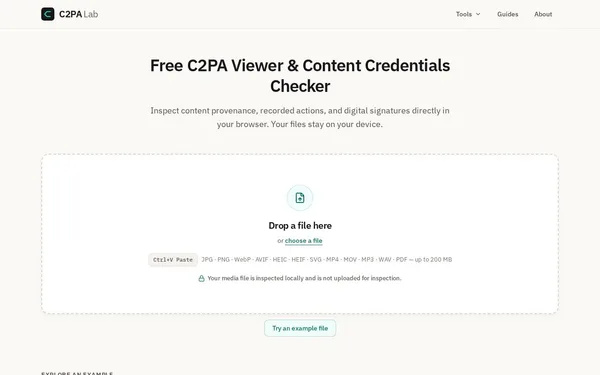
C2PA Lab is a free browser-based tool for inspecting C2PA Content Credentials in image, video, audio, and PDF files. All analysis runs entirely locally via WebAssembly – no file ever leaves the device. It is aimed at developers, journalists, and content reviewers who need to verify media provenance and digital signatures.
✓ Pros
- +Fully local processing via WebAssembly – no file upload required
- +Supports a wide range of formats: JPEG, PNG, WebP, AVIF, HEIC, SVG, MP4, MOV, MP3, WAV, PDF
- +Free to use with no account required, featuring multiple specialized inspection views
✗ Cons
- −Cannot prove the authenticity of content itself – only the integrity of the C2PA manifest
- −Exclusively focused on the C2PA standard, with no general metadata or EXIF analysis
Use Cases
- →Checking whether an image or video carries a valid C2PA certificate
- →Verifying digital signatures and issuer information in media files
- →Inspecting AI-generated content declarations embedded in manifests
- →Analyzing PDF files for embedded Content Credentials
Who is it for?
Ideal for developers, journalists, content moderators, and media professionals who need to verify C2PA provenance and digital signatures in media files.
Tags
What is C2PA Lab?
C2PA Lab is a browser-based tool for inspecting C2PA Content Credentials in media files. It reads the C2PA manifest of a file, verifies the embedded digital signatures, and displays issuer information as well as provenance metadata across several specialized views. All processing runs entirely via WebAssembly in the browser. No file ever leaves the device, there is no upload step, and no account is required.
The C2PA standard (Coalition for Content Authenticity and Provenance) is increasingly adopted by camera manufacturers, platforms, and AI tools to attach cryptographically signed provenance information to content. C2PA Lab makes this metadata visible and verifiable without the need to set up a dedicated development environment.
Core Features
- Local analysis via WebAssembly: All inspection takes place in the browser. No server, no cloud dependency.
- Broad format support: JPEG, PNG, WebP, AVIF, HEIC, SVG, MP4, MOV, MP3, WAV, and PDF are supported.
- Signature and issuer verification: The tool shows who signed a manifest and whether the signature is intact.
- Reading AI declarations: Statements about AI-generated content embedded in manifests are displayed separately.
- Multiple inspection views: C2PA Lab offers specialized views for different aspects of the manifest, not just a raw output.
Who is C2PA Lab for?
Developers integrating C2PA into their own workflows can use the tool to quickly cross-check manifests without relying on local toolchains. Journalists and content moderators use it to verify whether an image or video file carries a C2PA certificate at all, and who issued it.
One important limitation: C2PA Lab can only confirm the integrity of the manifest. It cannot determine whether the content itself is authentic. When inspecting a file without an embedded manifest, the tool simply reports that none is present.
Context & Alternatives
C2PA Lab belongs to the category of media provenance tools. The closest point of comparison is Adobe's official Content Credentials Verify service from Adobe and the CAI (contentcredentials.org), which offers a similar browser-based verification experience. C2PA Lab differs in that it provides multiple inspection views and is explicitly tailored to developer and verification workflows, whereas the Adobe service is more oriented toward end users.
The tool does not provide general metadata analysis or EXIF inspection. Anyone needing both will need to use a separate tool. For pure C2PA use cases, local processing without a mandatory account is the decisive practical advantage over cloud-based alternatives.