
CurlShot
FreemiumWebsite screenshots and PDFs via URL or API – instant, no installation required
AI Summary
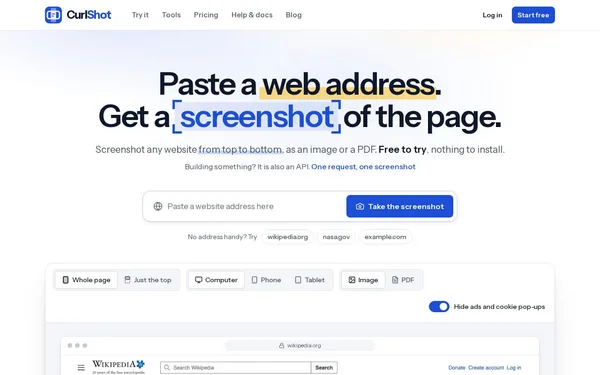
CurlShot is an online service that captures any website as a screenshot (PNG, JPEG, WebP) or PDF – either manually in the browser or fully automated via a REST API. The tool renders pages like a real browser, removes ads and cookie banners, and supports multiple device sizes (desktop, smartphone, tablet). It is aimed at both individual users who need to quickly document a page and developers who want to integrate screenshots into their own applications or workflows.
✓ Pros
- +No setup required – works directly in the browser with no installation
- +Free tier with 100 screenshots per month and no credit card required
- +Versatile output formats: PNG, JPEG, WebP, and PDF; full-page screenshots included
✗ Cons
- −Pages behind a login or on private networks can only be captured in a limited capacity
- −Higher volumes (above 3,000 screenshots/month) require paid plans starting at $19 USD/month
Use Cases
- →Automated generation of website thumbnails for directories or portfolios
- →Documenting prices, terms of service, or competitor content at a specific point in time
- →Mobile/tablet preview of your own website without a physical device
- →Integration into developer workflows via REST API for bulk screenshots or recurring captures
Who is it for?
Ideal for developers and product teams looking to integrate automated website screenshots into apps, workflows, or AI agents, as well as individuals who want to quickly document websites or archive them as PDFs.
Tags
What is CurlShot?
CurlShot captures any website as a screenshot or PDF, either directly via URL in the browser or in an automated fashion through a REST API. The service renders pages using a real browser engine, removes ads and cookie banners, and delivers results in PNG, JPEG, WebP, or PDF format. No installation is required. Getting started is as simple as visiting the website.
Core Features
- Multiple output formats: PNG, JPEG, WebP, and PDF, each as a full-page screenshot.
- Selectable device sizes: Capture in desktop, smartphone, and tablet resolutions without a physical device.
- Automatic overlay removal: Cookie banners and ads are removed before the capture.
- REST API for developers: Enables bulk captures and integration into applications or automation workflows.
- Free tier: 100 screenshots per month with no credit card required and no expiring trial period.
Who is CurlShot for?
Developers who need to generate website thumbnails for directories or embed screenshots into their own applications will find the API straightforward to work with. Product teams use the service for recurring captures, such as documenting the state of pricing pages or terms of service at a specific point in time. Individuals who want to archive a page or save it as a PDF need no account and no tools beyond a browser.
Pages behind a login or on private networks cannot be captured, or only in a limited capacity. Paid plans start at $19 USD per month for volumes above 3,000 screenshots per month.
Context & Alternatives
CurlShot belongs to the category of screenshot APIs, alongside services such as ScreenshotOne, ApiFlash, and Browshot. These tools differ primarily in pricing model, rendering quality, and additional features such as JavaScript wait times or authentication support. CurlShot deliberately focuses on a frictionless onboarding experience: users who only occasionally need to document pages will stay within the free tier indefinitely. Those requiring authentication support or access to private networks will need to look at an alternative provider.