
PDFAnnotations
FreemiumExport PDF highlights and comments locally to Markdown, CSV, and Obsidian
AI Summary
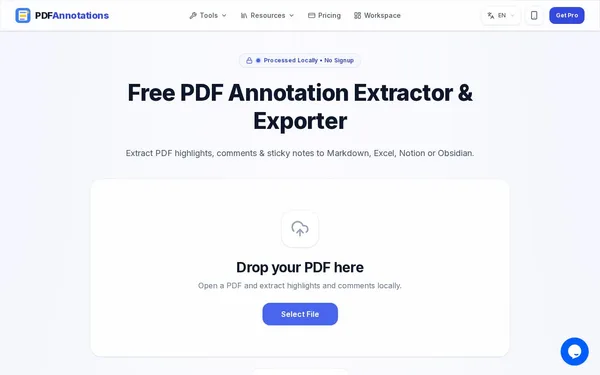
PDFAnnotations reads highlights, comments, and sticky notes from PDF files and exports them as Markdown, CSV, or plain text — and in the Pro version also for Obsidian, Notion, Excel, and as JSON. Processing runs locally in the browser via WebAssembly; files are never uploaded and no account is required. The tool is aimed at researchers, students, and anyone who wants to bring their reading annotations into a note-taking app.
✓ Pros
- +Processed locally in the browser — no upload, no account
- +Markdown, CSV, and plain text export available for free
- +Filter by color, author, and annotation type
✗ Cons
- −Free version limited to 100 annotations per export
- −Export for Obsidian, Notion, Excel, and JSON only available in the Pro version
- −Burned-in highlights in scanned PDFs are not recognized as annotations
Use Cases
- →Export highlights from academic papers to Markdown for a literature review
- →Transfer reading annotations into Obsidian, Logseq, or Notion
- →Collect comments from a PDF review as a spreadsheet
- →Remove comments and highlights before sending a PDF to clients
Who is it for?
PDFAnnotations is designed for researchers, students, and knowledge workers who want to transfer highlights and comments from PDFs into their note-taking app or spreadsheet.
Tags
What is PDFAnnotations?
PDFAnnotations is a browser-based tool that extracts annotations from PDF files: colored highlights, comments, and sticky notes. The scattered annotations are turned into an organized file containing page numbers, types, and authors, ready to be used in a note-taking app or spreadsheet. The PDF is processed locally in the browser via WebAssembly and never uploaded — no account required.
Core Features
- Extract highlights, comments, and sticky notes — individually or all at once
- Filter by color, author, and annotation type
- Export as Markdown, CSV, and plain text in the free version
- Export for Obsidian, Notion, Excel, as JSON, and as a ZIP archive in the Pro version
- Remove annotations from a PDF — all of them, highlights only, or comments only
- Export comments from Word files (.docx) and convert XFDF and FDF files
- Batch processing of multiple PDFs in the Pro version
Who is PDFAnnotations for?
This tool is a great fit for anyone who highlights PDFs in a reader and needs those notes elsewhere: researchers working with literature, students, legal professionals, and editors. Those using Obsidian, Logseq, or Notion get their annotations in a format that can be inserted directly. The removal feature is useful when a PDF needs to be sent to clients without internal comments.
The free version exports a maximum of 100 annotations per run, and the Obsidian, Notion, and Excel formats are part of the Pro version. Only true annotation objects can be removed. Highlights burned into the page content or embedded in a scan are not affected.
Context & Alternatives
PDFAnnotations is not a PDF editor or a collaborative annotation tool — it is an export tool for existing annotations. Similar functionality is offered by Zotero with its built-in PDF reader and Readwise Reader, though both are tied to their own library or account. The advantage here: nothing to install, and your file never leaves your machine.