PdfCraft
Open SourceOpen-source PDF workbench – read, combine, and secure without the cloud
AI Summary
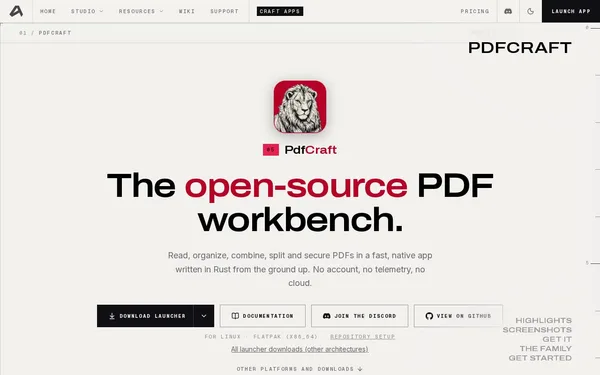
PdfCraft is a native, open-source application written in Rust for reading, organizing, combining, splitting, and encrypting PDF documents. The tool runs locally with no cloud connectivity, telemetry, or mandatory account, and is aimed at developers, privacy-conscious users, and anyone who works with PDFs professionally. It is currently in early alpha but already offers extensive features, including AES-256 encryption and CLI support.
✓ Pros
- +Completely free and open source – no subscription, no account required
- +No telemetry and no cloud dependency – full control over your data
- +Broad platform support: macOS, Windows, Linux, FreeBSD, and a web build
✗ Cons
- −Still in early alpha, so potential instabilities should be expected
- −No mobile client available (iOS/Android)
Use Cases
- →Merge multiple PDFs into a single document or extract individual pages
- →Protect PDFs with AES-256 encryption or open password-protected documents
- →Reorder, rotate, or delete pages via drag-and-drop
- →Process PDFs via the CLI in scripts and automation pipelines
Who is it for?
Ideal for developers, privacy enthusiasts, and technically savvy users who want to work with PDFs professionally, locally, and without cloud services.
Tags
What is PdfCraft?
PdfCraft is an open-source application written in Rust for local PDF editing. It runs entirely without cloud connectivity, without telemetry, and without an account. When merging, splitting, or encrypting PDFs, no data is sent to external servers. The tool is released under an open license and is completely free. It is currently in early alpha, which means you should expect occasional crashes or unfinished behavior.
Core Features
- Merging and splitting: Multiple PDFs can be combined into a single document; individual pages can be extracted separately.
- Page management: Reorder, rotate, or delete pages via drag-and-drop.
- AES-256 encryption: Encrypt PDFs or open existing password-protected documents.
- CLI support: All core operations are accessible via the command line and can be integrated into scripts or automation pipelines.
- Broad platform coverage: Builds are already available for macOS, Windows, Linux, FreeBSD, and a web build.
Who is PdfCraft for?
Developers looking to integrate PDF processing into automation workflows will benefit directly from the CLI. Anyone who avoids online PDF services for privacy reasons gets a no-compromise alternative here: no outbound connections, no account, no hidden data flows. The tool also works well for occasional personal desktop use. However, anyone needing a mobile client for iOS or Android will need to look at other solutions. Production-critical workflows should take the alpha status into account.
Context & Alternatives
PdfCraft fits into the category of local document tools, alongside projects like PDF Arranger (Linux-focused, Python/GTK) or the commercial PDF Expert (macOS). Those who work purely from the command line are likely already familiar with pdftk or ghostscript. PdfCraft sets itself apart through its combination of a graphical interface, CLI, and native Rust implementation in a single package. The web build also enables use without a local installation, which is uncommon for many alternatives in this space.