PhotoCraft
Open SourceOffline image editor with a Photoshop feel – open source & in Rust
AI Summary
PhotoCraft is a native, offline-capable image editor developed in Rust that replicates familiar workflows from professional tools like Photoshop. It offers layers, masks, adjustment layers, vectors, and PSD support – with no cloud dependency. The app is aimed at designers, photographers, and developers looking for a powerful, privacy-friendly alternative to commercial image editing software.
✓ Pros
- +Completely free and open source with no subscription
- +Native and offline – no cloud, no telemetry, runs on Metal, Vulkan, DirectX 12, and WebGPU
- +Excellent PSD compatibility: 134 out of 135 test files byte-identical
✗ Cons
- −Still in early alpha and therefore not yet production-ready
- −Significantly smaller community and plugin ecosystem than established commercial tools
Use Cases
- →Professional image editing with layers, masks, and adjustment layers
- →Opening and saving PSD/PSB files with high compatibility
- →Color-critical work at 8/16/32-bit in RGB, CMYK, and Lab including ICC color management
- →Automated image processing via the included command-line tool
Who is it for?
Ideal for designers, photographers, and developers looking for a powerful, privacy-friendly, and free alternative to Photoshop on Windows, macOS, or Linux.
Tags
What is PhotoCraft?
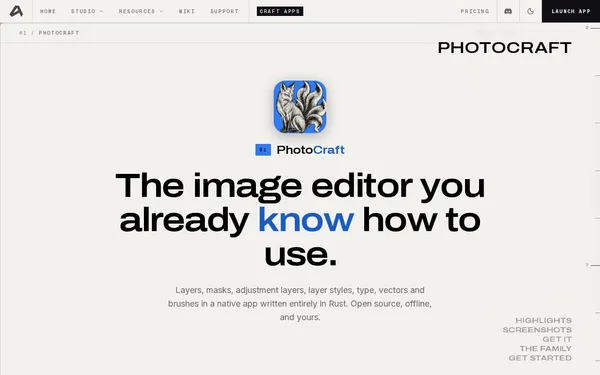
PhotoCraft is a native image editor developed in Rust that runs entirely offline. The project aims to replicate the core workflows of professional image editing software: layers, masks, adjustment layers, vector tools, and PSD support. Unlike many open-source alternatives, PhotoCraft consistently avoids cloud connectivity and telemetry. The app runs natively on Windows, macOS, and Linux, leverages platform-specific graphics APIs (Metal, Vulkan, DirectX 12, and WebGPU), and is completely free. No subscription, no account required.
Core Features
- Layers, masks, and adjustment layers in a familiar Photoshop workflow, complemented by vector tools
- PSD and PSB compatibility: 134 out of 135 test files are read and saved byte-identically
- Color management with ICC profiles at 8-, 16-, and 32-bit color depth, with support for RGB, CMYK, and Lab
- Command-line tool for automated image processing pipelines, without opening the GUI
- Offline-first: no network connection required, no data leaves the device
Who is PhotoCraft for?
Photographers and designers who exchange PSD files and want to avoid depending on Adobe subscriptions will find a genuinely capable approach here. Developers benefit from the included CLI tool, which can be integrated directly into build processes or automation scripts. Color-critical projects in CMYK or Lab with proper ICC color management are also supported.
PhotoCraft is currently in early alpha. In practical terms, this means crashes, missing features, and breaking changes are likely. The tool is not suitable for production environments at this time. Community resources, plugins, and extensions are scarce, as the ecosystem has yet to mature.
Context & Alternatives
PhotoCraft belongs to the category of open-source image editing alongside projects such as GIMP and Krita. GIMP offers a mature plugin ecosystem, but uses a different layer model and has historically poor PSD compatibility. Krita excels in digital painting. PhotoCraft takes a different focus: maximum PSD compatibility and a workflow that feels familiar to Adobe users.
The key differentiator lies in the implementation. Byte-identical PSD compatibility across 134 out of 135 test files is a measurable result, not a promise. Anyone who wants to keep PSD files lossless within a free toolchain and is willing to work with alpha software should keep an eye on PhotoCraft.