
PhantomStudio
PaidBuild Astro websites with AI and refine them visually
AI Summary
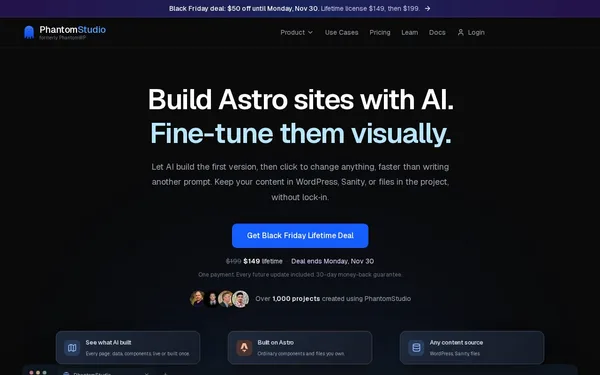
PhantomStudio is a browser-based workspace that combines AI-generated Astro projects with a visual builder, Git integration, and CMS connectivity (WordPress, Sanity, WooCommerce). The tool enables developers, freelancers, and small agencies to set up client projects quickly without being dependent on lock-in effects. All code remains in your own GitHub repository and can be developed independently at any time. Before the rebrand, the tool was called PhantomWP.
✓ Pros
- +Full code ownership: the project lives in your own GitHub repo and can be used independently of PhantomStudio
- +Flexible AI usage with your own API key and choice of model provider (OpenAI, Claude, Gemini, and more)
- +Integrated workflow from project creation through visual building to one-click deployment
✗ Cons
- −WordPress themes and frontend plugin output are not transferred automatically and must be rebuilt in Astro
- −WooCommerce integration is still in beta and may not be production-ready
Use Cases
- →Building headless WordPress websites with an Astro frontend for agencies
- →Visually customizing AI-generated starter pages without writing code manually
- →Building WooCommerce storefronts as high-performance Astro headless projects
- →Migrating client projects with an existing CMS workflow to static Astro sites
Who is it for?
Ideal for web developers, freelancers, and small agencies who want to efficiently build Astro projects with CMS connectivity and deliver them to clients.
Tags
What is PhantomStudio?
PhantomStudio is a browser-based workspace that combines AI-generated Astro projects with a visual builder. The workflow covers the entire spectrum: from setting up a new project, to visually refining the interface, to one-click deployment. Throughout this process, the generated code lives in your own GitHub repository and can be used entirely independently of PhantomStudio. If you ever decide to stop using the tool, you can simply continue developing the project without having to rebuild anything from scratch.
This sets PhantomStudio apart from many website-builder-style approaches: no proprietary format, no platform lock-in.
Core Features
- AI-powered project creation with a choice of model provider (OpenAI, Claude, Gemini, and more) using your own API key
- Visual builder for customizing AI-generated pages without writing code manually
- CMS connectivity for WordPress, Sanity, and WooCommerce, to migrate existing content structures into Astro frontends
- Git integration with direct pushes to your own GitHub repository as the central storage medium
- One-click deployment as the final step in the integrated project lifecycle
Who is PhantomStudio for?
The tool is aimed at web developers, freelancers, and small agencies who build client projects with an Astro frontend and want to reach a deliverable result quickly. It is particularly well-suited for situations where a client is already using WordPress or WooCommerce and needs a high-performance headless frontend to go with it.
Two limitations are worth knowing: WordPress themes and frontend plugins are not transferred automatically. Anything built visually there must be rebuilt in Astro. The WooCommerce integration is also still in beta, which makes production-ready shop projects risky at this stage.
Context & Alternatives
PhantomStudio belongs to the category of headless CMS tools with an integrated frontend builder, specialized in the Astro framework. Comparable approaches exist in the space of visual Astro editors and AI-powered website builders — for example, browser-based development environments with AI support such as Bolt or Lovable. However, these are more framework-agnostic and do not offer specific WordPress or WooCommerce connectivity.
Anyone specifically building Astro projects with an existing WordPress backend — and wanting to keep the code in their own repository from day one — will find in PhantomStudio a workflow that generic AI builders simply do not offer.


