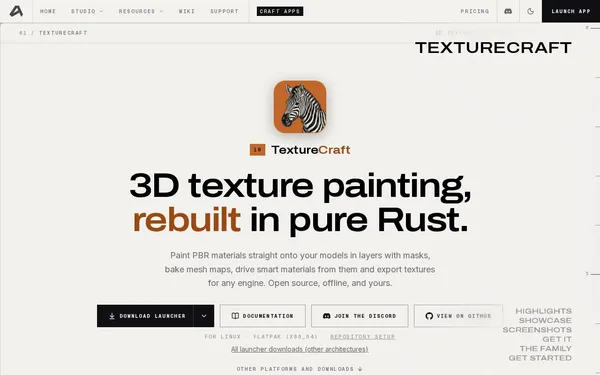
TextureCraft
Open Source3D texture painting in Rust – open, offline, and free
AI Summary
TextureCraft is an open-source 3D texture painting tool developed entirely in Rust that allows PBR materials to be painted directly onto 3D models. It offers GPU-accelerated mesh baking, smart materials with masks and layers, and export to all major engines and formats. The tool is aimed at 3D artists and developers looking for a powerful, offline-capable alternative to proprietary texturing tools.
✓ Pros
- +Completely free and open source – no subscriptions or hidden costs
- +Extremely performant thanks to Rust and a native viewport on Metal, Vulkan, DirectX 12, and WebGPU
- +Broad platform and format support including glTF, FBX, USD, UDIM, and 8/16/32-bit export
✗ Cons
- −Still under active development (version 0.6.1) – not all features are mature or stable
- −No commercial support option; assistance available only via Discord and the community
Use Cases
- →Painting PBR textures directly onto 3D models with seamless brush strokes across UV seams
- →GPU-accelerated baking of Ambient Occlusion, Curvature, and Thickness maps from high-poly meshes
- →Exporting 8K texture sets for game engines such as Unity or Unreal Engine
- →Automated texturing and baking via CLI, JSON control channel, or MCP server in pipelines
Who is it for?
Ideal for 3D artists, game developers, and technical artists looking for a powerful, free, and offline-capable texturing tool.
Tags
What is TextureCraft?
TextureCraft is an open-source 3D texture painting tool, written entirely in Rust and usable without a subscription or registration. It allows you to paint PBR materials directly onto 3D models, including seamless brush strokes across UV seams. The viewport runs natively on Metal, Vulkan, DirectX 12, and WebGPU. The tool works completely offline and is available on Windows, macOS, Linux, and in the browser.
The current version is 0.6.1. The project is under active development, and not all features are stable yet.
Core Features
- PBR painting directly on mesh: Brush strokes flow across UV seams, and materials can be combined using masks and layers.
- GPU-accelerated baking: Ambient Occlusion, Curvature, and Thickness maps from high-poly meshes are baked on the GPU.
- 8K export for game engines: Export texture sets in 8-, 16-, or 32-bit format, ready to use directly in Unity and Unreal Engine.
- Wide format support: Supports glTF, FBX, USD, and UDIM.
- Pipeline integration: Baking and texturing can be automated via CLI, a JSON control channel, or an MCP server.
Who is TextureCraft for?
The tool is aimed at 3D artists and game developers who want to replace Substance Painter or comparable paid tools. Those looking to integrate texturing steps into automated build pipelines will find concrete starting points with the CLI and the MCP server. Technical artists who want to work directly in the source code or integrate the tool into their own workflows benefit from the open Rust codebase.
Community support is handled exclusively via Discord. Those who rely on commercial support or SLAs will not find that option here.
Context & Alternatives
TextureCraft occupies the same market segment as Substance Painter (Adobe) or Marmoset Toolbag. Both are paid and proprietary. ArmorPaint is the best-known open-source alternative with a comparable feature set. The difference from ArmorPaint lies primarily in the chosen technology stack (Rust instead of Haxe/Kha) and in pipeline automation via MCP server and JSON control channel.
Those looking for a free, offline-capable texturing solution with automation interfaces and who can accept early software versions should choose TextureCraft. Those who need production stability should wait for a higher version number or stick with a mature commercial solution.


