
Wireflow
Open SourceFree user flow designer directly in the browser
AI Summary
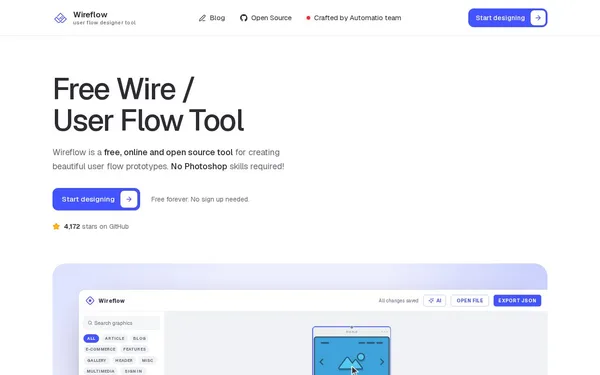
Wireflow is a free, online, open-source tool for creating user flow diagrams and wireframe prototypes. It offers 125 pre-built screen templates, an AI assistant (Claude), grouping and annotation features, and export options. The tool is aimed at UX designers, product managers, and developers who want to quickly visualize user flows.
✓ Pros
- +Completely free and usable without registration
- +MIT-licensed and open source – self-hostable or forkable
- +Runs entirely in the browser, works offline and on touchscreens
✗ Cons
- −AI feature requires your own Anthropic API key
- −Flows are stored locally in the browser – no native cloud sync or collaboration mode
Use Cases
- →Creating user flow diagrams for web and mobile apps
- →Prototyping e-commerce checkout processes using pre-built templates
- →Visualizing navigation structures and decision paths
- →AI-assisted generation and editing of flows via the Claude API
Who is it for?
Ideal for UX designers, product managers, and developers who want to quickly create user flows and wireframe prototypes without any prior knowledge.
Tags
What is Wireflow?
Wireflow is a browser-based tool for creating user flow diagrams and wireframe prototypes. It's completely free, runs directly in the browser without installation, and requires no registration. The source code is available on GitHub under the MIT license, meaning self-hosting, forking, or customizing is explicitly permitted. Wireflow stores flows locally in the browser. Anyone looking to sync data across devices or collaborate with others will quickly run into limitations.
Core Features
- 125 pre-built screen templates for common UI patterns such as e-commerce checkouts, login flows, or mobile navigation
- AI assistant powered by Claude (Anthropic): flows can be generated and edited via prompt. This requires your own Anthropic API key.
- Grouping and annotation features for structured annotation of flows and screens
- Export options for finished diagrams and prototypes
- Offline support and touch compatibility: the tool works without an active internet connection and can be used on tablets
Who is Wireflow for?
UX designers who want to quickly sketch a user flow without creating an account or installing a local application. Product managers who need to visualize navigation structures and decision paths for stakeholders. Developers who want to verify that a flow is logically structured before implementation. The existing templates make it easy to get started even without deep UX expertise. Anyone working collaboratively or wanting to centrally version flows will need either a self-hosted instance with a custom setup or a different tool.
Context & Alternatives
Wireflow falls into the category of lightweight flow and wireframe tools – a step below full-featured prototyping platforms like Figma or Axure. Figma offers real-time collaboration and a broad plugin ecosystem, but requires registration and is paid for teams. Lucidchart and Miro cover similar diagramming needs but are designed for collaborative workflows and are not free without restrictions. Wireflow outperforms these tools in one specific scenario: fast solo work, no account, no subscription. Anyone working alone or in a small team who needs a flow for a presentation and doesn't mind browser-local storage can get straight to work.


