
floorplan
Open SourceInteractive Codebase Map for Claude Code & Codex
AI Summary
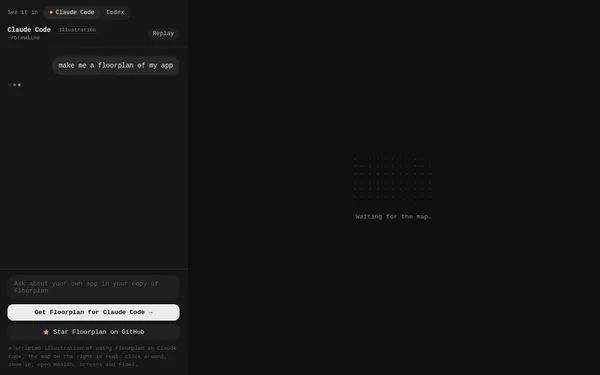
Floorplan is a developer tool that generates an interactive, visual map of an existing codebase and embeds it directly into AI coding environments such as Claude Code or OpenAI Codex. Developers can use it to explore their app's screens, flows, and health information without having to navigate through the code manually. The tool is aimed at software developers who use AI-assisted development workflows and need a quick structural overview of their projects.
✓ Pros
- +Seamless integration into popular AI coding tools such as Claude Code and Codex
- +Interactive, zoomable map enables intuitive exploration with no additional setup
- +Open source and available on GitHub – transparent and extensible
✗ Cons
- −Currently focused primarily on Claude Code and Codex – limited support for other IDEs or workflows
- −Dependent on AI coding environments; without them, the value is severely limited
Use Cases
- →Get a visual overview of an existing app's architecture directly in Claude Code
- →Navigate an application's screens and user flows without manually reading code
- →Accelerate onboarding of new team members using interactive codebase maps
- →Review code health and dependencies at a glance within the AI development environment
Who is it for?
Floorplan is ideal for developers who use AI-assisted coding tools such as Claude Code or Codex and need quick, visual orientation within their codebase.
Tags
What is floorplan?
Floorplan generates an interactive, visual map of an existing codebase and embeds it directly into AI coding environments such as Claude Code or OpenAI Codex. Instead of manually navigating through directories and files, developers get a zoomable overview of their application's screens, user flows, and code health information. The tool is open source and available on GitHub.
Core Features
- Interactive codebase map: Visualizes an app's screens, flows, and architectural structures in a zoomable map view.
- Embedding in AI environments: Integrates the map directly into Claude Code and OpenAI Codex, keeping the overview within your existing workflow.
- Code health information: Displays project dependencies and health at a glance, without the need for separate tooling.
- Exploration without reading code: Screens and user flows can be explored visually before diving into individual files.
- Open-source foundation: The source code is publicly available on GitHub, allowing for customization.
Who is floorplan for?
Floorplan is aimed at developers who actively work with Claude Code or Codex and need to get their bearings quickly in an unfamiliar or organically grown codebase. When onboarding new team members, a ready-made map replaces hours of explanations about project structure and flows. Anyone preparing code reviews or architectural decisions also benefits from having dependencies laid out visually.
Developers who don't use an AI coding environment will get little value from the tool. Its benefits are directly tied to Claude Code or Codex. Without one of these environments, the embedding context that makes Floorplan worthwhile is simply absent.
Classification & Alternatives
Floorplan falls into the category of codebase visualization tools. Comparable approaches exist as standalone tools (such as CodeSee or Sourcetrail), which operate independently of AI assistants and come with their own setup overhead. Floorplan deliberately takes the opposite approach: the visualization comes to the AI environment, not the other way around. This is a clear advantage for teams that have already standardized on Claude Code or Codex. For everyone else, it is simply the wrong tool.
