
Kirki
PaidFreeform website builder for WordPress without limitations
AI Summary
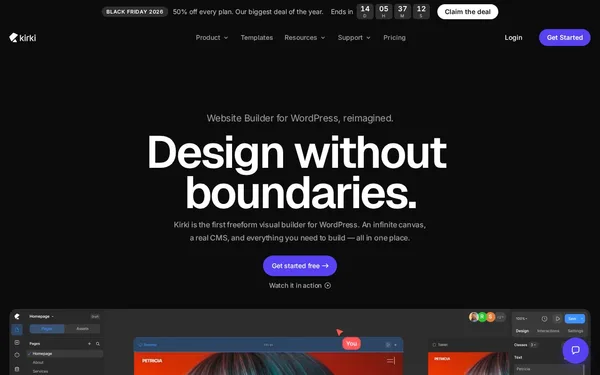
Kirki is a visual website builder for WordPress based on a free infinite canvas concept that removes traditional grid constraints. It offers a built-in CMS, interactions, forms, SEO tools, and real-time collaboration in a single platform. It is aimed at WordPress designers, developers, and agencies who want greater creative freedom. Before the rebrand, the tool was called Droip.
✓ Pros
- +All-in-one: forms, popups, SEO, maps, and icons are built in – no additional plugins required
- +Free infinite canvas with unlimited breakpoints for maximum design freedom
- +Direct Figma import and Dev Mode for clean developer handoff
✗ Cons
- −Paid plans required for advanced features – the free version has limitations
- −Proprietary system creates strong platform lock-in; migration can be complex and time-consuming
Use Cases
- →Visually building WordPress websites without block or column constraints on a freeform canvas
- →Importing Figma designs directly into WordPress with styles and layouts preserved
- →Building a custom CMS with custom content types, fields, and dynamic templates
- →Real-time collaboration between multiple designers and developers on a WordPress project
Who is it for?
Ideal for WordPress designers, developers, and agencies who want to work without compromising on creative freedom and without plugin bloat.
Tags
What is Kirki?
Kirki is a visual website builder for WordPress that moves beyond the classic block and column approach. Instead of working within fixed grids, users design on a free infinite canvas that supports any number of breakpoints. The tool also bundles its own CMS, forms, popups, SEO features, maps, and icons directly within the platform, eliminating the need for additional plugins to handle these tasks.
Core Features
- Infinite Canvas Editor: Layouts are created without grid constraints. Breakpoints can be defined freely, not just for common screen sizes.
- Figma Import: Existing Figma designs can be transferred directly into WordPress with styles and layouts preserved. A Dev Mode supports developer handoff.
- Built-in CMS: Custom content types, custom fields, and dynamic templates can be created directly within the builder, without external plugins like ACF or CPT UI.
- Real-time Collaboration: Multiple people can work on the same project simultaneously, reducing coordination overhead for teams and agencies.
- All-in-one Platform: Forms, popups, and SEO settings are natively integrated, noticeably reducing the need for additional WordPress plugins.
Who is Kirki for?
WordPress designers who regularly build in WordPress from Figma will benefit from the direct import workflow. For agencies with multiple contributors on a project, the collaboration feature offers a concrete advantage over traditional page builders. Anyone looking to tightly couple their WordPress project to a proprietary system should factor in future migration efforts: moving Kirki projects to a different builder environment requires significant work. The free version restricts advanced features; a paid plan is required for production projects.
Context & Alternatives
Kirki operates in the visual WordPress builder market, but competes with a different value proposition than Elementor or Bricks Builder. Both alternatives also work natively with WordPress, but rely on grid and section logic. Kirki differentiates itself through its freeform canvas and Figma import. Tools like Webflow target a similar design audience but operate outside of WordPress. For those who want to stick with WordPress while leveraging the creative freedom of a canvas-based tool, Kirki is one of the few options that combines both.