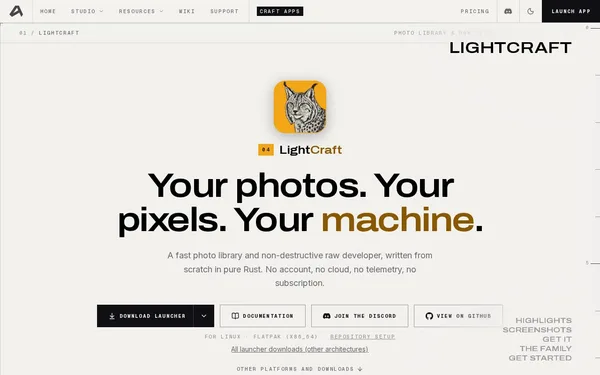
LightCraft
Open SourceFast RAW development & photo management – local, open, private
AI Summary
LightCraft is a non-destructive RAW developer and photo library manager written entirely in Rust that runs locally on your own machine. It offers a 32-bit float pipeline, precise masking, native RAW decoders for a wide range of camera formats, and GPU-accelerated real-time feedback. The tool is aimed at photographers looking for a powerful, privacy-friendly alternative to Adobe Lightroom.
✓ Pros
- +Fully local – no account, no cloud, no telemetry, no subscription
- +Free and open source (pure Rust), including CLI and web build
- +Extremely fast GPU pipeline: 24 MP RAW update in approx. 4 ms per slider adjustment
✗ Cons
- −Still under active development – features may be missing or unstable
- −No built-in cloud sync or mobile companion app for use on the go
Use Cases
- →Non-destructive RAW development and editing of digital photos without any cloud dependency
- →Managing large photo libraries with albums, ratings, and flags
- →Color grading with 3-way color wheels, an 8-band color mixer, and 18 built-in presets
- →Precise masking of subjects, sky, and backgrounds using brush and gradient masks
Who is it for?
LightCraft is ideal for photographers and developers looking for a privacy-friendly, fast, and free alternative to Lightroom on macOS, Windows, or Linux.
Tags
What is LightCraft?
LightCraft is a RAW developer and photo library manager written entirely in Rust that runs exclusively on your local machine. No account, no cloud connection, no telemetry. Image editing is non-destructive: original files remain untouched, and all adjustments are saved as metadata. The project is open source and freely available, including a CLI and a web build. The GPU pipeline processes a 24-megapixel RAW update in approximately 4 ms per slider adjustment, enabling real-time feedback with no perceptible delay.
Core Features
- 32-bit float pipeline with native RAW decoders for a wide range of camera formats, GPU-accelerated
- Non-destructive RAW development with exposure, color, and tone corrections, plus 18 built-in presets
- Color grading via 3-way color wheels and an 8-band color mixer
- Precise masking with brush and gradient masks, plus automatic detection of subjects, sky, and background
- Photo library with albums, ratings, and flags for managing large collections
Who is LightCraft for?
Photographers looking to replace Adobe Lightroom for privacy or cost reasons will find a fully capable workflow here with no subscription model. The tool runs on macOS, Windows, and Linux. Those who occasionally cull photos on a smartphone while on the go or sync images across multiple devices will notice what's missing: there is no mobile app and no cloud sync. Since LightCraft is still under active development, certain features may be missing or behave unstably. For photographers who primarily work at their desktop and want to keep their data under their own control, this is not a dealbreaker.
Context & Alternatives
LightCraft operates in the desktop RAW developer segment, where Darktable and RawTherapee are established open-source alternatives alongside the dominant Lightroom. Darktable offers a comparably deep feature set and a mature, long-standing library management system. LightCraft distinguishes itself through its Rust codebase and a GPU pipeline explicitly optimized for speed, which becomes noticeable when working with large numbers of high-resolution files. Those who prefer a lean, modern codebase over the feature richness of historically grown tools will find that LightCraft operates on a fundamentally different technical foundation.