
DeckCraft
Open SourcePresentations without a subscription – native, fast, open source
AI Summary
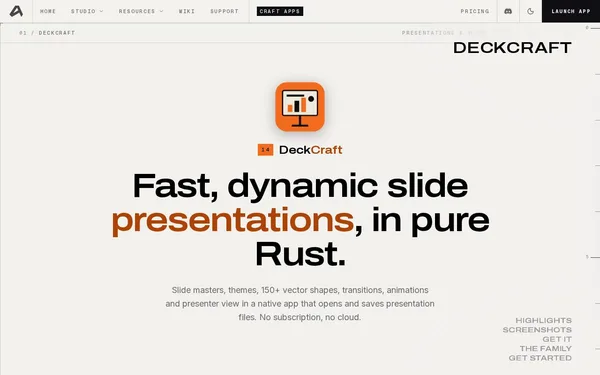
DeckCraft is a native, open-source presentation editor built entirely in Rust that works without any cloud connection or subscription. It offers slide masters, 150+ vector shapes, animations, transitions, and a presenter view. It is aimed at developers, tech-savvy users, and anyone looking for a powerful, privacy-friendly alternative to PowerPoint.
✓ Pros
- +Completely free and open source – no subscription, no cloud
- +Broad platform support: macOS, Windows, Linux, FreeBSD, Web (WASM)
- +Automatable via 200+ CLI commands, JSON channel, and MCP server for AI workflows
✗ Cons
- −Still under active development – not all features are fully mature
- −No official commercial support; community assistance only via Discord and GitHub
Use Cases
- →Creating professional presentations with slide masters and themes without any cloud dependency
- →Automated slide generation via CLI, JSON channel, or MCP server for AI agents
- →Opening and editing existing PowerPoint files (.pptx) in a local, native tool
- →Exporting presentations as vector PDFs or rendered slide images for handouts
Who is it for?
Ideal for developers, open-source enthusiasts, and tech-savvy users looking for a local, scriptable alternative to PowerPoint.
Tags
What is DeckCraft?
DeckCraft is a presentation editor written entirely in Rust that runs locally on your machine. No account, no subscription, no cloud connection. The application runs natively on macOS, Windows, Linux, and FreeBSD, as well as in the browser via WebAssembly. The source code is open and free to use.
The tool reads and writes the .pptx format while remaining completely offline. Anyone who wants to edit existing PowerPoint files without having to log in to a cloud service will find a straightforward entry point here.
Core Features
- Slide masters and themes for consistent design across all slides
- 150+ vector shapes as well as animations and transitions between slides
- Presenter view for delivering talks with a separate speaker display
- Export as vector PDF or rendered slide images for handouts
- 200+ CLI commands as well as a JSON channel and an MCP server for automated workflows and AI agents
- Import and export of
.pptxfiles for compatibility with existing PowerPoint projects
Who is DeckCraft for?
Developers who want to generate presentations via script will benefit the most. The MCP server allows AI agents to create slides directly. The CLI interface is well-suited for build pipelines and automated reporting workflows.
DeckCraft also works for less technical users, but without experience with command-line tools, a large portion of the features will go unused. A graphical interface is available, but the tool is clearly aimed at users who know what they are doing.
Since the project is still under active development, individual features may be incomplete or unstable. Support is available exclusively through Discord and GitHub – there is no commercial ticketing system.
Classification & Alternatives
DeckCraft occupies a niche where few tools are simultaneously native, scriptable, and capable of offline use. Alternatives such as Keynote or LibreOffice Impress also offer local presentation editing, but lack comparable CLI depth and an MCP server for AI workflows. Purely code-based approaches like Marp or Slidev generate slides from Markdown, but forgo a graphical editing layer.
For anyone who needs .pptx compatibility, offline operation, and automated slide generation in a single tool, DeckCraft currently has no direct equivalent on the market.