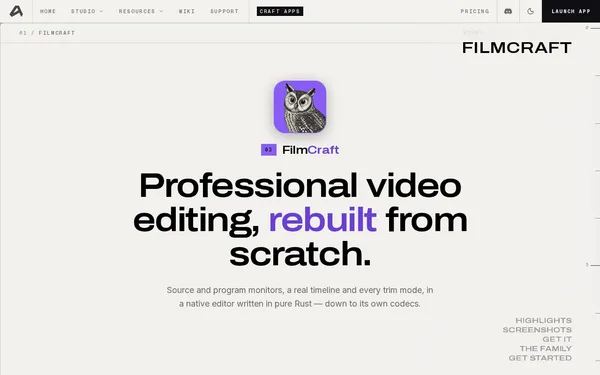
FilmCraft
Open SourceProfessional open-source video editor – rebuilt in Rust
AI Summary
FilmCraft is a professional open-source video editor built entirely in Rust, featuring source/program monitors, a true timeline, color correction, and native codecs with no FFmpeg dependency. It offers features such as J/K/L trimming, HSL secondary correction, LUT support, EBU R128 loudness metering, and a GPU compositor. The tool is aimed at video editors and developers looking for a powerful, transparent, and cross-platform alternative to commercial NLEs.
✓ Pros
- +Completely free and open-source (GitHub) with no hidden costs
- +Native codecs (H.264, HEVC, ProRes, VP9) without FFmpeg – high reliability and control
- +Cross-platform support for macOS, Windows, Linux, and FreeBSD including ARM and RISC-V
✗ Cons
- −Still in active development – not all features are production-ready
- −No cloud service or collaborative workflows – strictly a local desktop application
Use Cases
- →Professional video editing with source/program monitor and three-point editing
- →Color correction and grading with curves, color wheels, HSL secondary correction, and LUTs
- →Broadcast-ready audio mixing with EBU R128 loudness metering and DSP effects
- →Automated export and batch processing via the included CLI tool
Who is it for?
FilmCraft is ideal for video editors, indie filmmakers, and developers looking for a powerful, transparent, and free NLE across all desktop platforms.
Tags
What is FilmCraft?
FilmCraft is an open-source video editor written entirely in Rust. The philosophy behind it is uncompromising: no FFmpeg dependency – instead, its own native codecs for H.264, HEVC, ProRes, and VP9. This gives developers and users direct control over the processing pipeline, without relying on an external library whose behavior can change from version to version.
The project runs on macOS, Windows, Linux, and FreeBSD, including ARM and RISC-V architectures, and is freely available on GitHub.
Core Features
- Source/Program monitor with true timeline: Three-point editing and J/K/L trimming modeled after professional NLEs.
- Color correction and grading: Curves, color wheels, HSL secondary correction, and LUT import for precise image control.
- GPU compositor: Rendering tasks are offloaded to the graphics card.
- EBU R128 loudness metering: Broadcast-compliant audio monitoring directly in the editor, complemented by DSP effects.
- CLI tool for batch export: Automated export and batch processing without a GUI, useful for workflows involving large amounts of source material.
Who is FilmCraft for?
FilmCraft is aimed at video editors and indie filmmakers looking for a fully free NLE with no licensing restrictions. Anyone who has only encountered professional features like HSL secondary correction or EBU R128 metering in commercial products will find them here in an open-source context.
Developers working on video processing pipelines or looking to extend the editor itself will benefit from the Rust codebase and the custom codec implementations. Access to the source code is not a bonus – it is the fundamental difference from most alternatives.
One caveat: FilmCraft is still in active development. Individual features may be missing or unstable. For production-critical use with fixed deadlines, this risk should be factored in realistically.
Context & Alternatives
FilmCraft competes in the category of desktop non-linear editors (NLEs). The most obvious open-source comparisons are DaVinci Resolve (free, but proprietary), as well as Kdenlive and OpenShot (both open-source, but built on FFmpeg). That is precisely where FilmCraft's technical differentiator lies: the deliberate decision to forgo FFmpeg in favor of its own codec implementations.
Anyone looking to build a fully controllable, open-source video pipeline in the long run – and willing to occasionally encounter features that aren't yet complete – will find a foundation here that no other open-source NLE currently offers in this form.