FigCraft
Open SourceFigma alternative in Rust – offline, free, open source
AI Summary
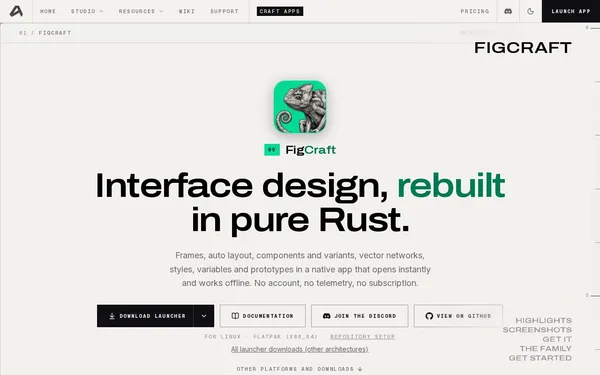
FigCraft is a native interface design application built in pure Rust, offering features such as Auto Layout, components, variants, vector networks, and prototyping. It runs entirely offline, requires no account, and collects no user data. It is aimed at UI/UX designers and developers looking for a free, privacy-friendly alternative to cloud-based design tools.
✓ Pros
- +Completely free, open source, and without telemetry or mandatory account creation
- +Natively built in Rust – launches instantly and runs offline on all platforms
- +Broad platform support including macOS, Windows, Linux, FreeBSD, and web
✗ Cons
- −Still in early alpha – not suitable for production-critical projects
- −No official commercial support; community-dependent via Discord and GitHub
Use Cases
- →UI/UX design of interfaces and screen layouts without cloud dependency
- →Collaborative real-time design via self-hosted live sessions
- →Developer handoff with Dev Mode, including CSS, React, and SwiftUI code generation
- →Automation of design workflows via CLI, JSON channel, or MCP server
Who is it for?
Ideal for UI/UX designers and developers looking for a privacy-friendly, offline-capable, and free alternative to Figma.
Tags
What is FigCraft?
FigCraft is a native interface design application written in Rust that operates entirely without a cloud connection, account registration, or telemetry. The application runs locally on macOS, Windows, Linux, FreeBSD, and in the browser. It is aimed at designers and developers who need Figma's feature set but cannot or do not want to depend on a commercial SaaS service. The project is open source and free.
Core Features
- Auto Layout, components, and variants for structured UI design, comparable to Figma's features of the same name
- Vector networks for complex path operations beyond traditional Bezier editors
- Prototyping directly within the application, without an external service
- Real-time collaboration via self-hosted live sessions instead of centralized servers
- Dev Mode with code export for CSS, React, and SwiftUI, enabling direct handoff from design to implementation
- Automation interfaces via CLI, JSON channel, and MCP server for design workflows without manual intervention
Who is FigCraft for?
The primary audience is UI/UX designers and developers in environments where privacy, offline operation, or simply the licensing costs of cloud tools present a concrete problem. Freelancers who work while traveling without reliable internet, teams in regulated industries with strict data retention requirements, or open source projects without a budget for Figma licenses will benefit most directly.
FigCraft is still in early alpha. Anyone who needs a stable foundation for ongoing production projects will encounter crashes, missing features, and breaking changes. Support is handled via Discord and GitHub, not by a dedicated team.
Context & Alternatives
FigCraft enters directly into the space dominated by Figma: vector-based UI design with a component system and developer handoff. Comparable open source approaches include Penpot, which can also be self-hosted but is built on web technologies and is more focused on team collaboration. FigCraft sets itself apart through its Rust foundation, native client, and consistent offline-first architecture.
Anyone already familiar with Penpot who is frustrated by its browser dependency will find FigCraft to be an alternative with native startup behavior. The key caveat remains its alpha status. Getting started now makes sense for experiments and personal projects. For anything with a deadline, that is not yet the case.