
Google Flow Music
FreemiumAI Music Studio: Create Songs, Videos & Beats at the Push of a Button
AI Summary
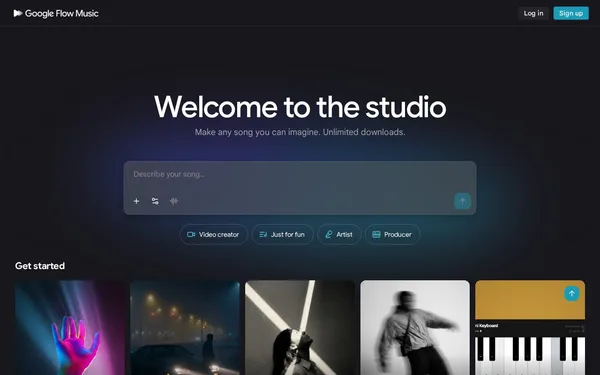
Google Flow Music is a browser-based AI platform that lets users create complete songs, music videos, and custom audio plugins — no prior experience required. The tool uses Google's Lyria 3.5 music model and the Veo video model to turn text prompts into high-quality music with dynamic vocals and matching visuals. It is aimed equally at hobby musicians, content creators, and professional producers. Before the rebrand, the tool was called ProducerAI (producer.ai).
✓ Pros
- +All-in-one platform: music, video, plugins, and sharing in a single tool
- +Personalized AI model that learns your individual style over time
- +Free to get started — no credit card required, with unlimited downloads
✗ Cons
- −Daily credits limit usage on the free tier
- −Full creative control requires familiarity with AI prompting
Use Cases
- →Create songs and tracks via AI chat with a virtual producer
- →Generate music videos directly from your own songs using the Veo model
- →Build audio plugins, music games, or custom DAWs in the Code Space
- →Remix unreleased tracks and split stems
Who is it for?
Ideal for hobby musicians, content creators, and music producers who want to create professional songs and videos without expensive software.
Tags
What is Google Flow Music?
Google Flow Music is a browser-based AI music studio that combines Google's Lyria 3.5 music model with the Veo video model. Users enter text prompts and receive complete songs with vocals in return. If desired, a matching music video can be generated within the same tool. No installation is required — an account is all you need to get started.
What sets Flow Music apart is the system's learning behavior: the personal AI model is designed to recognize your individual style across multiple sessions and adapt to it over time. Whether this works reliably in practice depends on the volume and consistency of your inputs.
Core Features
- Song creation via chat: A virtual producer takes text instructions and builds complete tracks with dynamic vocals from them.
- Music video generation: The Veo model generates video footage directly from a finished song, with no external export step required.
- Stems and remixing: Unreleased tracks can be split into individual stems for further editing.
- Code Space for audio plugins: Those who want to go deeper can use the built-in Code Space to build custom audio plugins, music games, or DAW structures.
- Unlimited downloads on the free tier: Created tracks can be downloaded without restriction, even without adding a payment method.
Who is Google Flow Music for?
Hobby musicians with no studio experience will get results here fastest. Content creators who need original music for videos can save on licensing costs. Professional producers can make use of the Code Space, but will run into daily credit limits once they start producing intensively.
Anyone expecting precise control over arrangement or timbre will need to invest time in learning AI prompting. The chat-based approach works well for broad style directions, but falls short when it comes to specific harmonic or rhythmic requirements.
Classification & Alternatives
Flow Music belongs to the growing category of text-based AI music generators. Direct comparisons can be drawn with Suno and Udio, which also generate songs from text prompts, but offer neither integrated video generation nor a Code Space. Udio allows for more fine-grained prompting, while Flow Music scores points with Google's native video integration via Veo.
Anyone who wants to keep video and music production under a single login — and can live with a credit limit on the free tier — will find a workflow here that no direct competitor currently offers in this combination.


